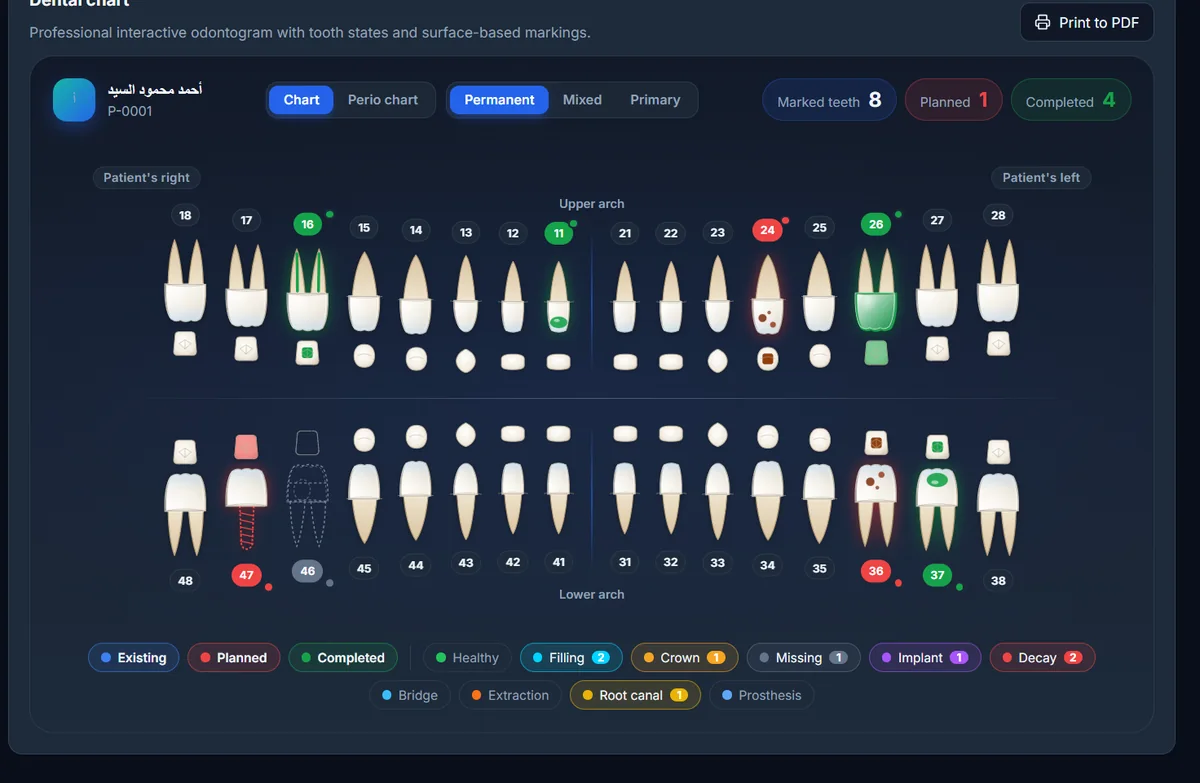
Interactive dental chart
Record each tooth in one click: caries, filling, root canal, crown, implant… see its full history and print it as PDF.
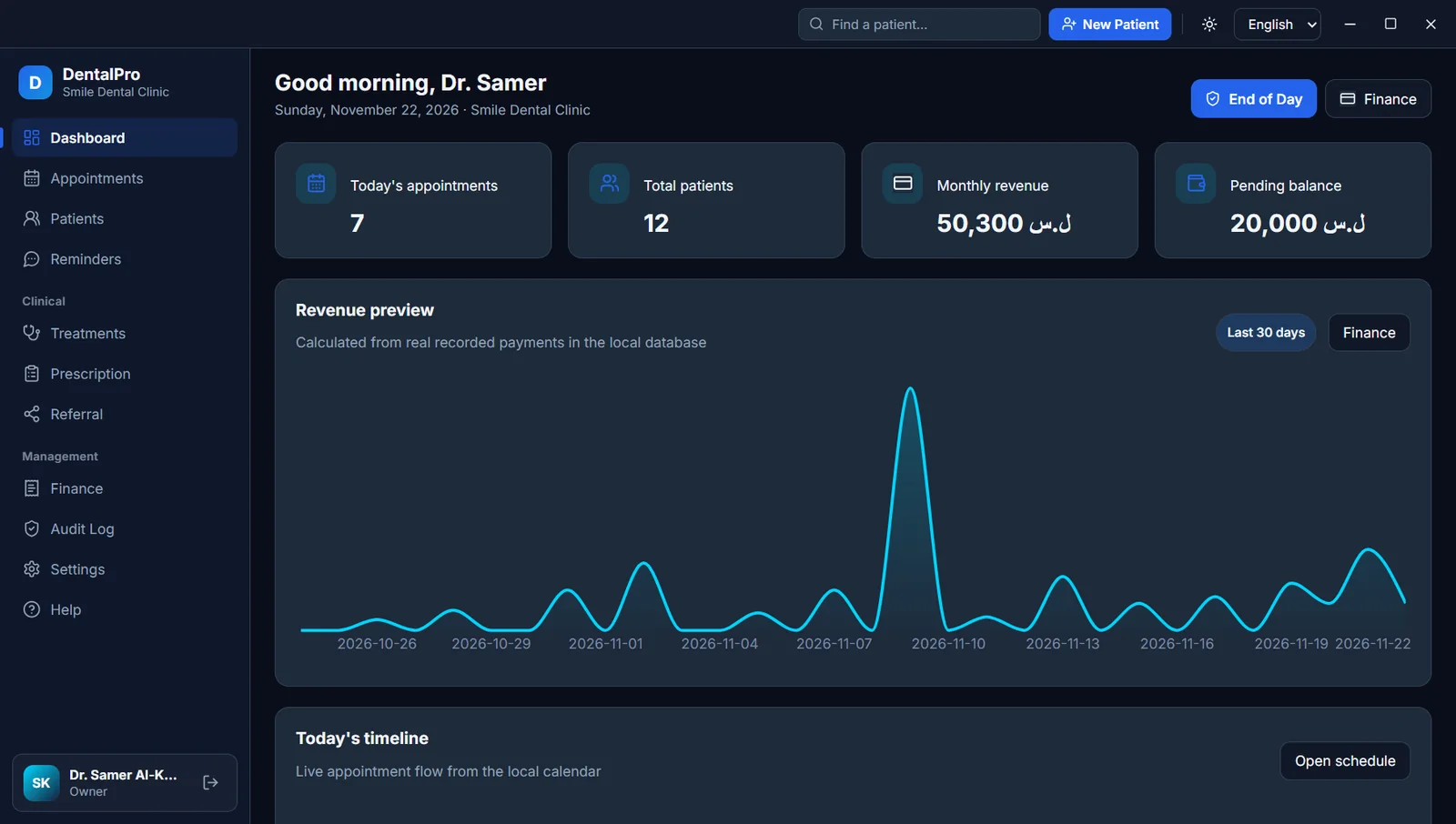
Patients, appointments, dental chart, treatments, invoices and prescriptions in one clear, fast interface. Works offline, and your patients’ data stays encrypted on your clinic’s computer.
Version 1.1.0 · Windows 10 & 11 · 131 MB
From a patient’s first visit to the last payment, every step is organised, fast and clear.
Record each tooth in one click: caries, filling, root canal, crown, implant… see its full history and print it as PDF.
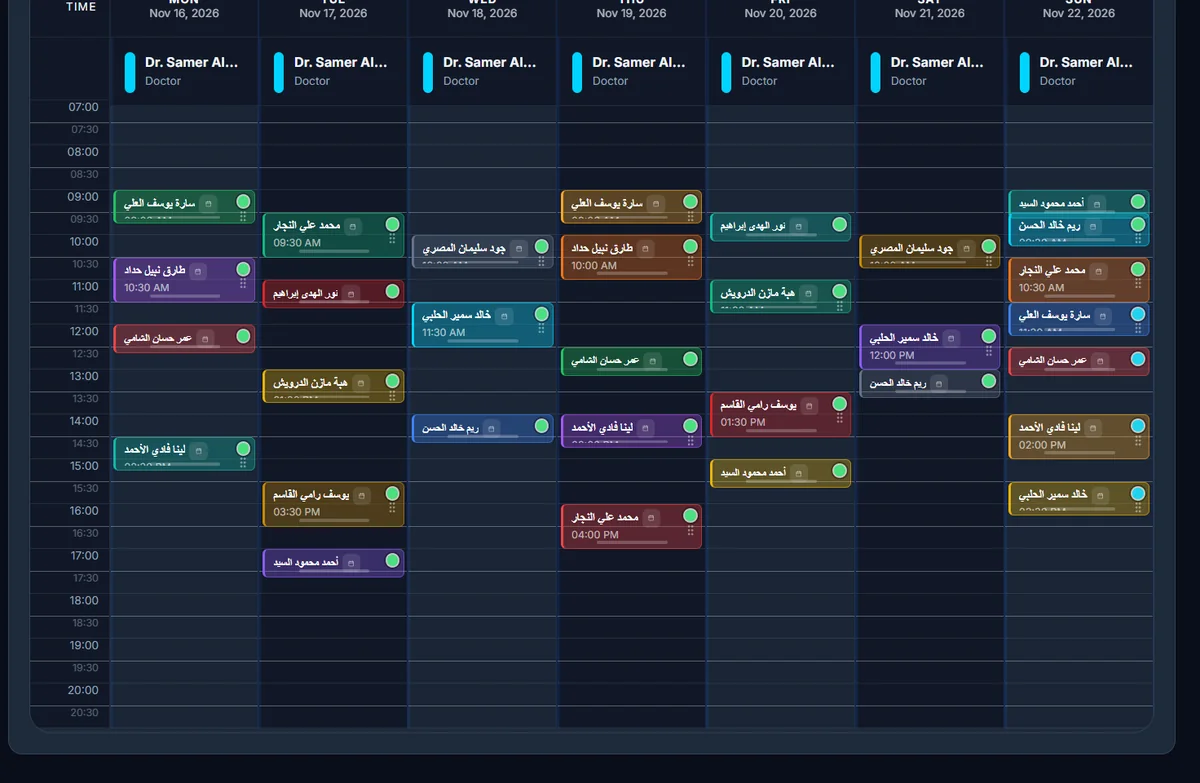
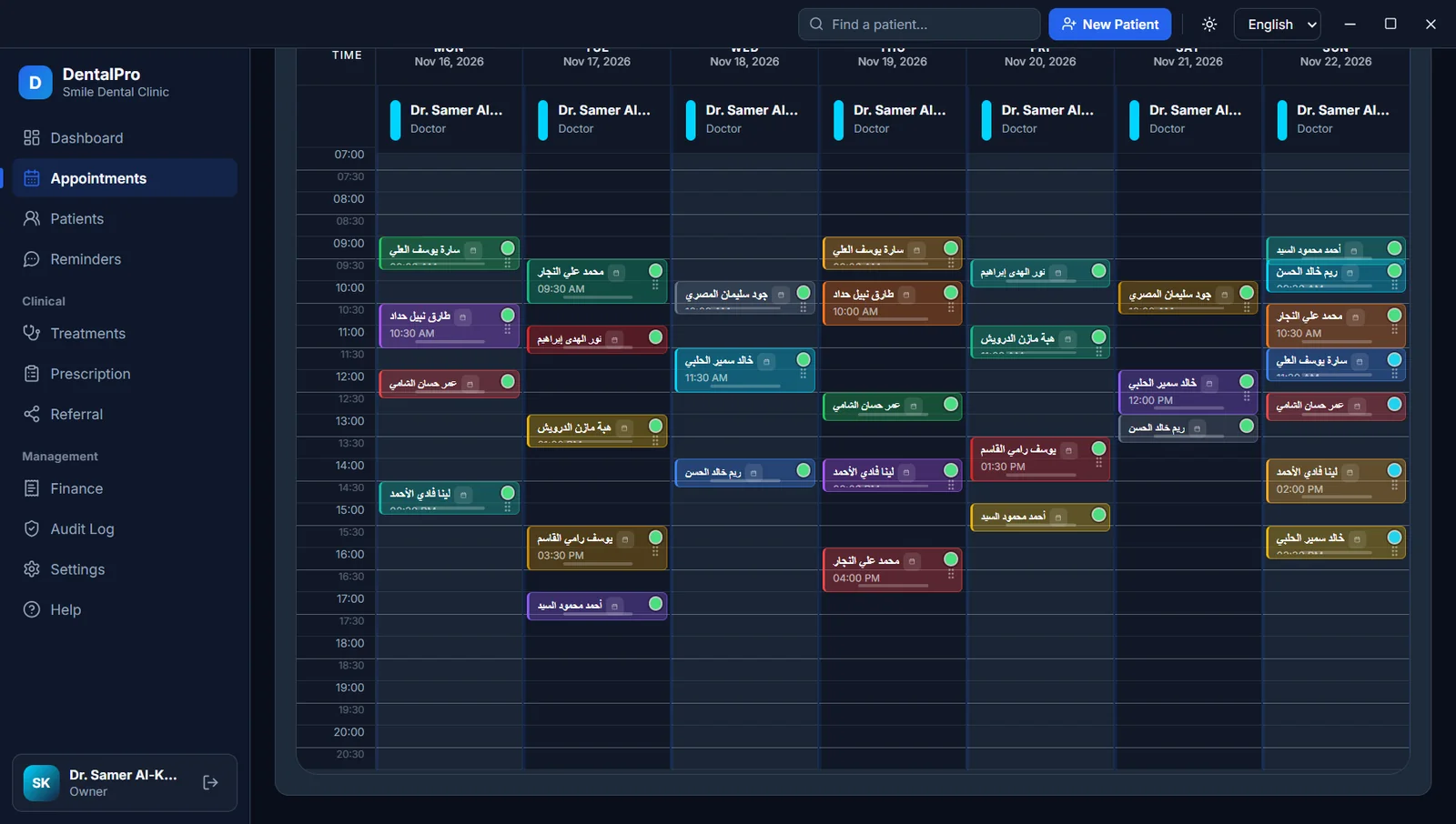
Day, week, per-doctor and per-room views, with conflict warnings and patient reminders.
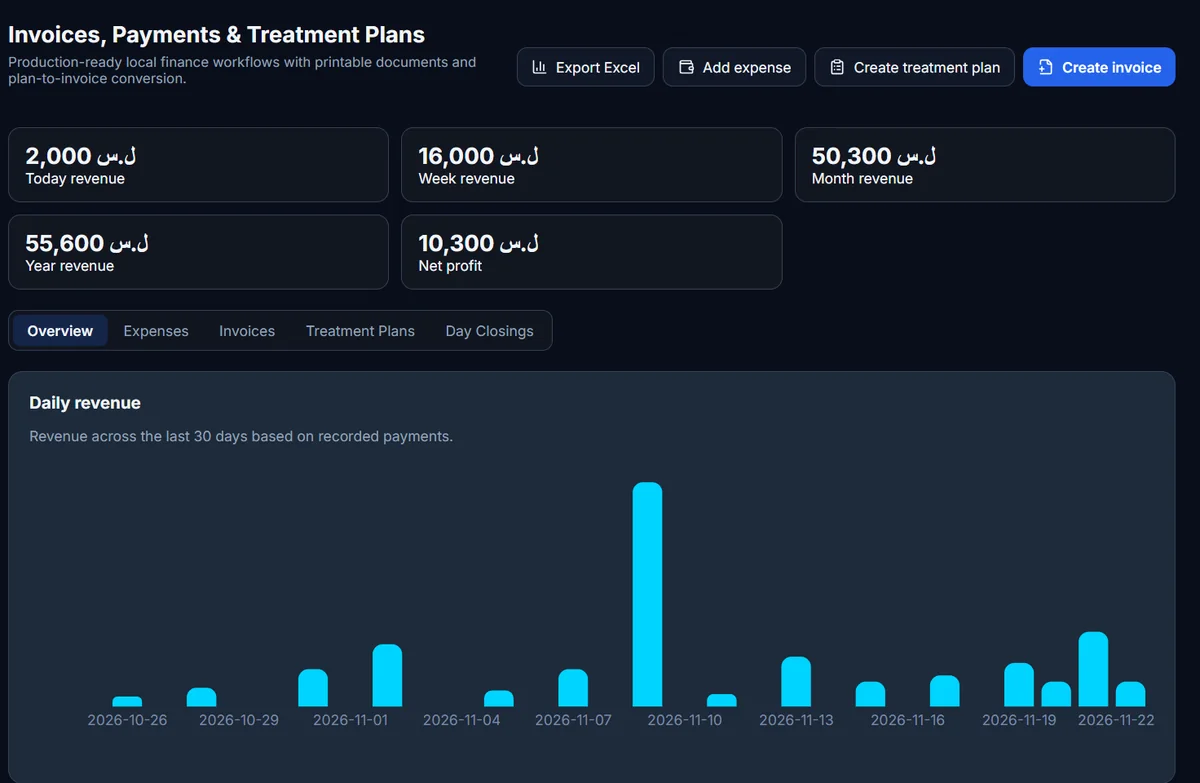
Revenue, expenses and net profit, plus outstanding balances per patient, in multiple currencies.
Details, medical history and allergies, visits, photos and X-rays, with instant search.
Staged plans with prices that become an invoice in one click.
Partial payments, discounts and professional printed invoices.
A drug library with doses, and a printed prescription in seconds.
Refer patients to specialists and remind them via WhatsApp.
An account for every doctor and receptionist, with a full audit log.
A modern, clear interface in Arabic, English and German, in your own currency.
Today’s appointments, revenue and outstanding balance at a glance.
All daily work happens on the clinic’s computer, so nothing stops when the internet does.
The database is encrypted on disk. We never see or store your patients’ data.
Password-protected encrypted backups to a USB drive or folder, restored when you need them.
Improvements arrive automatically without losing any data.
A full tour: from adding a patient to the invoice and reports.
The tutorial video is being prepared and will be published here soon.
Download the Windows version and install it on your clinic’s computer in a minute.
Copy the “Device ID” shown in the app and send it with the form, along with your email.
We email you the licence file; open it in the app and start right away.
No. DentalPro works fully offline and your data is stored on your clinic’s computer. The internet is only used for licence checks and updates when available.
Only on your clinic’s computer, in an encrypted database. We never see or store your patients’ data.
Yes, the licence sets the number of devices. Tell us how many you need in your request.
It depends on the number of devices and doctors. Send a request and we will reply with a quote for your clinic.
You choose your clinic’s currency and can add an exchange rate for a second one. The app is available in Arabic, English and German.
Take regular backups. On a new computer you install the app, restore the backup, and we help you move the licence.
Download the app now and send us a licence request to get started.
Request a licence or a quote, or ask us anything. We reply to your email as soon as we can.